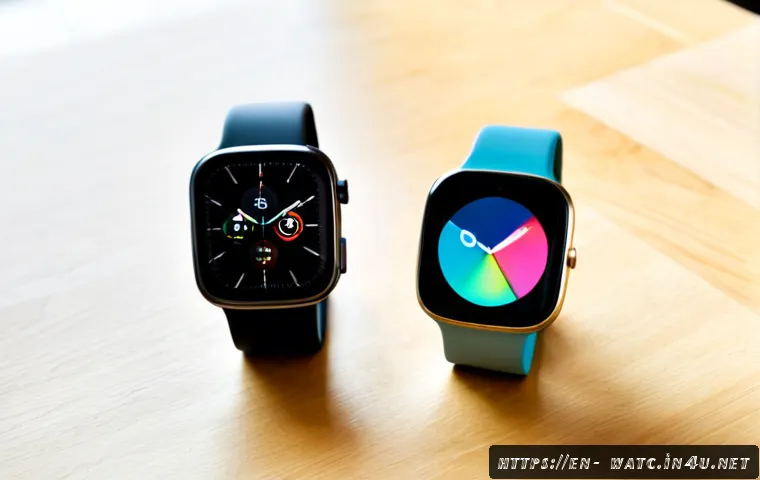
Apple Watch is usually the right starting point for iPhone owners, while Galaxy Watch is generally the more practical choice for Android users—especially people with Samsung Galaxy phones.
Before comparing health tools or smartwatch prices, confirm that the watch works fully with your phone. Both families can cover activity tracking, heart-rate monitoring, sleep-related features, workouts, notifications, GPS options, and apps.
The better purchase depends on whether you need cellular connectivity, longer battery flexibility, specific fitness tools, or tight integration with your phone’s apps and services.
Also compare the total ownership cost, not just the watch price: carrier plans, compatible bands, charging accessories, protection coverage, and trade-in value can all affect the decision.
Health features may vary by model, software version, and region, so check the current product details before ordering.
At a Glance
- Apple Watch is built around iPhone use and is not designed to pair with Android phones.
- Galaxy Watch is made for Android compatibility, with some functions working best on Samsung Galaxy phones.
- Compare GPS versus cellular, health-feature availability, battery needs, accessories, and carrier fees before buying.
| Decision Area | Apple Watch | Galaxy Watch |
|---|---|---|
| Phone compatibility | Requires a compatible iPhone for setup and ongoing use. | Uses Android compatibility rules that may vary by model, region, and phone manufacturer. |
| Best ecosystem fit | iPhone users who want close phone-and-watch continuity. | Android users, particularly Samsung Galaxy phone owners. |
| Core wellness and fitness tools | Activity tracking, heart-rate monitoring, sleep-related features, workouts, notifications, GPS options, and apps. | Activity tracking, heart-rate monitoring, sleep-related features, workouts, notifications, GPS options, and apps. |
| Cellular option | Available on certain versions with carrier support and monthly fees. | Available on certain versions with carrier support and monthly fees. |
| Accessories | Bands, chargers, and cases should be checked for model compatibility. | Bands, chargers, and cases should be checked for model compatibility. |
| Ownership cost | Watch price, possible carrier plan, accessories, protection, and upgrade value matter. | Watch price, possible carrier plan, accessories, protection, and upgrade value matter. |
The Short Answer: Start With Your Phone and Daily Priorities
The simplest answer is to choose the smartwatch that matches your phone first. Compatibility is not a minor detail; it affects setup, notifications, apps, calling features, and the overall experience.
Why iPhone owners should evaluate Apple Watch first
Apple Watch requires a compatible iPhone for setup and continued use. For an iPhone owner, that makes it the natural product family to compare first. If you rely on phone notifications, apps, maps, payments, workout records, or smart-home controls during a normal day, the closer ecosystem fit may be more important than a single headline feature.
Why Android and Samsung Galaxy owners should check Galaxy Watch compatibility first
Galaxy Watch models are designed for Android, but compatibility can differ by watch model, phone manufacturer, software version, and region. Some features work best with Samsung Galaxy phones. Before comparing colors, case sizes, or retail promotions, confirm that your exact Android phone supports the watch functions you expect to use.
When cross-platform expectations create disappointment
A smartwatch can look like a good deal and still be the wrong purchase if it cannot deliver its full feature set with your phone. Apple Watch is not designed to pair with Android phones. A Galaxy Watch buyer should also avoid assuming every Android phone receives the same integration. Check the phone requirement before checking out.
Feature Comparison: Health, Fitness, Notifications, Apps, and Battery
Activity, workout, sleep, and health-monitoring considerations
Both watch families commonly offer activity tracking, heart-rate monitoring, sleep-related features, workout modes, and GPS options. The useful comparison is not simply which watch has “more” health tools. Instead, ask which measurements, alerts, and workout views are available for the exact model and region you are considering.
Some health measurements and alerts can be region-specific, model-specific, software-dependent, or subject to regulatory availability. Wellness information can be useful for personal awareness, but it should not be treated as a medical diagnosis or a substitute for professional care.
Calls, messages, maps, payments, and smart-home controls
For many buyers, daily convenience matters more than advanced workout screens. Notifications, calls, messages, maps, payment features, and smart-home controls can make a smartwatch feel valuable throughout the day. The strongest experience usually comes from choosing the watch designed for your phone platform and confirming which features are supported by your phone, carrier, and location.
App ecosystem and device integration
App support exists on both product families, but the app experience is closely tied to the surrounding phone ecosystem. Consider the services you already use most: messaging, navigation, music, payment tools, home controls, and fitness apps. A watch that fits those routines can be a better long-term purchase than one chosen only for a temporary smartwatch sale.
Battery life expectations in real daily use
Battery duration varies substantially by model, display settings, cellular use, GPS workouts, always-on display settings, and battery health. A buyer who uses GPS for outdoor workouts or cellular data away from the phone should expect different battery behavior from someone who mainly reads notifications. Review the stated battery information for the exact configuration rather than relying on a general comparison.
Price and Ownership Cost: GPS, Cellular, Accessories, and Upgrades
Choosing between Bluetooth/GPS and cellular connectivity
A Bluetooth/GPS model may be enough if your phone is usually nearby. A cellular or LTE version can be useful when you want calls, messages, and data away from the phone, subject to carrier availability. The important question is not whether LTE sounds premium; it is whether you will regularly leave your phone behind.
How carrier plans can change the total cost
Cellular smartwatch versions can require a carrier connectivity plan and monthly fees. Those charges can change the long-term cost of ownership, so compare the watch price with the expected carrier plan before deciding. Carrier availability, plan terms, and bundled offers can vary, so confirm the details directly with the carrier.
Bands, chargers, protection plans, and replacement costs
Accessories are easy to overlook in a smartwatch price comparison. Watch bands, charging accessories, and cases are generally platform- and model-specific. Check case size, charging method, and band fit before adding accessories to your cart. If you are considering a protection plan, read what it covers and whether it fits your expected use.
Comparing sale prices and trade-in offers without chasing a misleading discount
Retail prices, promotions, trade-in offers, and carrier bundle discounts change frequently in the United States. A lower upfront price may have different conditions than a direct retail purchase. Compare the final terms: required carrier service, trade-in eligibility, return window, protection coverage, and whether the offer applies to the exact model you want.
Common Buying Mistakes and Compatibility Checks

Confirm phone, operating system, and regional feature support
Start with your phone model and operating system version. Then verify the watch model, region, and any health or connectivity feature you care about. This quick check prevents buying a watch that pairs only partially or lacks a feature that influenced your decision.
Do not treat wellness data as a medical diagnosis
Health-related readings and alerts can have limitations. Availability may depend on the model, software, and location. If a health concern is important to you, use smartwatch information carefully and seek appropriate professional guidance rather than relying on the watch for diagnosis.
Check case size, comfort, charging method, and band compatibility
A smartwatch is only useful if you are comfortable wearing it consistently. Check the case size, how it feels during sleep or exercise, the charging setup, and whether bands are compatible with your specific model. A band that looks interchangeable may not fit every watch generation or case size.
Match battery expectations to GPS, LTE, and always-on display use
Heavy GPS workouts, cellular use, and always-on display settings can change daily battery expectations. Consider your actual routine. Someone using the watch mainly for notifications may prioritize one set of features, while a frequent outdoor exerciser may prioritize another.
Which Watch Makes Sense for Different Buyers?
For iPhone users who want seamless notifications and app continuity
Apple Watch should be the first option to evaluate because it requires a compatible iPhone and is designed around that ecosystem. Compare current models based on the features you will use, the desired case size, and whether GPS or cellular connectivity fits your routine.
For Samsung Galaxy users who prioritize Galaxy ecosystem features
Galaxy Watch is a logical starting point for Samsung Galaxy phone owners. Confirm compatibility for your phone and region, especially if specific health tools, payments, or connectivity features are central to your purchase.
For fitness-focused buyers who value workout tracking and outdoor use
Both families offer workout and GPS-related options. Focus on comfort, battery expectations, workout needs, phone compatibility, and whether you truly need cellular access during outdoor activities. The best fitness watch is the one you can wear comfortably and use consistently.
For buyers seeking the lowest long-term cost
A GPS model may reduce ongoing carrier costs if you usually carry your phone. Also compare accessory compatibility, charger needs, trade-in value, and protection-plan terms. The cheapest listed watch is not always the lowest-cost ownership choice.
Selection Criteria and Comparison Summary
Before placing an order, use this five-point checklist:
- Confirm that the watch supports your exact phone model and operating system.
- Choose GPS or cellular based on whether you need connectivity away from your phone.
- Verify the availability of any health, workout, payment, or carrier feature that matters to you.
- Compare current smartwatch pricing, carrier plans, trade-in offers, protection plans, return terms, and compatible accessories.
- Check case size, band fit, charging requirements, and expected battery use before finalizing the purchase.
A GPS model is often enough when your phone stays nearby. Cellular can be worth considering when independent calls, messages, and data are important, but only after reviewing carrier availability and monthly fees. For current terms, compare official product details, retailer conditions, and carrier plan information on the relevant pages.
Final Thoughts
Apple Watch versus Galaxy Watch is primarily a phone-ecosystem decision. iPhone users should begin with Apple Watch, while Android users should begin with Galaxy Watch compatibility. From there, compare your daily needs: workouts, notifications, battery habits, cellular access, and accessory costs. A careful compatibility check is more valuable than chasing a short-lived promotion.
Useful Information to Know
1. Cellular availability depends on carrier support and may involve monthly fees.
2. Battery results can change with GPS, LTE, display settings, and battery health.
3. Health-related features may not be available on every model or in every region.
4. Bands, cases, and chargers should be matched to the specific watch model.
5. Trade-in values and retail promotions can change frequently.
Important Notes
This comparison does not determine which specific current model is the best value for every buyer. Pricing, promotions, carrier fees, supported features, compatibility rules, and regional availability should be verified at the time of purchase. Smartwatch wellness data has limitations and should not be used as a medical diagnosis.
Frequently Asked Questions
Q1. Is Apple Watch or Galaxy Watch better for fitness tracking?
A1. Both commonly offer activity tracking, heart-rate monitoring, sleep-related features, workout modes, and GPS options. The better choice depends first on phone compatibility, then on the specific workout tools, battery expectations, comfort, and regional feature availability you need.
Q2. Do I need to pay monthly for a cellular Apple Watch or Galaxy Watch?
A2. Cellular or LTE versions can use a carrier plan for calls, messages, and data away from the phone. Carrier availability and monthly fees can apply, so check your carrier’s current smartwatch plan terms before purchasing.
Q3. Can I use an Apple Watch with an Android phone, or a Galaxy Watch with an iPhone?
A3. Apple Watch requires a compatible iPhone and is not designed to pair with Android phones. Galaxy Watch models follow Android compatibility rules that can vary by model, region, and phone manufacturer; confirm support for your exact phone before buying.